

How Smart Golf Sensors Attach to Clubs: Setup Guide
Here's the thing: smart golf sensors attach to your clubs using a twist-lock mechanism that fits directly into your club grip. No drilling, no permanent modifications, no mess. Just twist, pair with your phone, and you're tracking your clubs in real time.
If you've ever left a wedge at the 9th hole or panicked searching for your putter in the clubhouse, you know how frustrating lost clubs can be. That's exactly why sensor attachment needs to be simple, secure, and invisible during play. Let me walk you through how it actually works.
Related: Golf Distance Yardage Tag: Attach to Your Golf Bag & Play Smarter
Related: Smart Golf Club System Setup & Pairing: Step-by-Step Guide
In this article
- The Twist-Lock Attachment Method
- Step-by-Step Installation Process
- Pairing Your Sensors to Your Mobile App
- Compatibility and Different Club Types
- Why This Attachment Method Works So Well
- Setting Up Coverage for Your Entire Bag
- Real-World Performance During Your Round
- Troubleshooting Common Setup Questions
- Key Takeaways on Sensor Attachment
The Twist-Lock Attachment Method
The most straightforward way smart golf sensors attach to clubs is through a twist-lock grip insert. Think of it like a small, lightweight device that screws into the bottom of your existing club grip.
Related: Best Golf Club Tracker Sensors 2026: Top 5 Ranked
Here's what happens: the sensor sits inside your grip, secured by a simple twist motion. It doesn't interfere with your swing, doesn't add noticeable weight, and won't shift around during play. The entire sensor is contained within the grip itself, so you can't even see it once it's installed.
This design keeps your clubs looking and feeling normal while enabling behind-the-scenes tracking. Your focus stays on your game, not on some dangling gadget.
Step-by-Step Installation Process
Setting up your sensors involves a few straightforward steps. Here's what you need to do:
- Unbox and inspect your sensors. Make sure they're charged before you install them. Most sensors ship with at least a partial charge, but a full charge ensures immediate functionality on the course.
- Open your club grip. The bottom of your grip has a small opening or cap that you'll twist counterclockwise. This usually takes about 30 seconds per club.
- Insert the sensor. Drop the sensor into the grip opening and twist clockwise until it's snug. You'll feel a slight resistance when it's fully secured.
- Test the fit. Gently tug on the sensor to confirm it's locked in place. If it moves, twist it a quarter turn tighter.
- Repeat for each club. Depending on your setup, you might protect your whole bag or start with just your high-value clubs like your putter and wedges.
The entire process takes about 2 minutes per club. No tools required. No technical skills necessary.
Pairing Your Sensors to Your Mobile App
Once your sensors are physically attached to your clubs, the next step is pairing them digitally. This is where the real magic happens, and it's actually even easier than the installation.
Download the Golf Club Watch Knowledge mobile app on your smartphone. Open it and follow the pairing wizard. You'll be prompted to enable Bluetooth, and then the app automatically detects your nearby sensors.
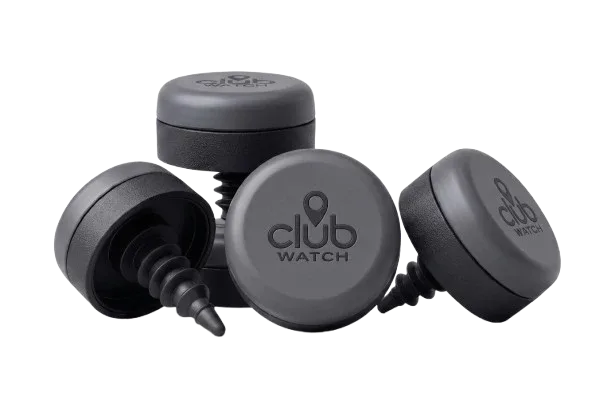
Tap each sensor in the app and assign it to a specific club. So your sensor in your driver gets labeled "Driver," your putter sensor gets labeled "Putter," and so on. This labeling takes about 10 seconds per club.
Once pairing is complete, your phone maintains a Bluetooth connection to your sensors throughout your round. Real-time alerts notify you if a club wanders off the course or gets left behind.
Related: Bluetooth Sensors for Golf Equipment Safety: A Complete Guide
Compatibility and Different Club Types

Not all grips are the same size, and that matters for sensor installation. Standard grips fit the standard sensor perfectly. But if you use oversized grips, you'll want equipment specifically designed for that.
The ClubWatch SuperStroke option accommodates thicker, oversized grips without any gap or movement. It's the same secure attachment, just engineered for grips that are wider in diameter.
Check your current grip size before purchasing sensors. Most recreational golfers use standard grips and won't need to worry about this, but it's worth confirming if you prefer thicker grips for better control.
Why This Attachment Method Works So Well
The twist-lock design is brilliant for a few reasons. First, it's non-invasive. You're not modifying your clubs permanently. If you ever want to remove a sensor, you just reverse the process. Twist counterclockwise, pull it out, twist the grip cap back on. Done.
Second, it's reliable. Sensors stay locked in place even on aggressive swings, firm impacts, and rough handling. There's no risk of a sensor detaching mid-round and causing chaos.
Third, it's discrete. Your clubs look, feel, and perform exactly as they did before. No visible electronics, no added weight, no distractions.
Most golfers don't think about their sensors once they're installed. They just play their round, and the system works quietly in the background.
Setting Up Coverage for Your Entire Bag
You don't have to sensor every single club right away. Many golfers start with the clubs they lose most often, then expand coverage over time.
The ClubWatch 2-Pack protects your putter and a wedge, which prevents roughly 40% of the lost club incidents. Your putter is your most valuable club emotionally and financially, so starting there makes sense.
If you want full coverage from driver to pitching wedge, the ClubWatch 13-Pack covers your entire bag. No club gets left behind untracked.
Or pick the middle path. The ClubWatch 4-Pack adds an extra wedge or hybrid to your base coverage, giving you protection on the clubs most likely to wander off.
Whatever you choose, adding sensors later is simple. The ClubWatch Single Sensor works as an add-on or replacement, so you can expand your setup whenever you're ready.
Real-World Performance During Your Round
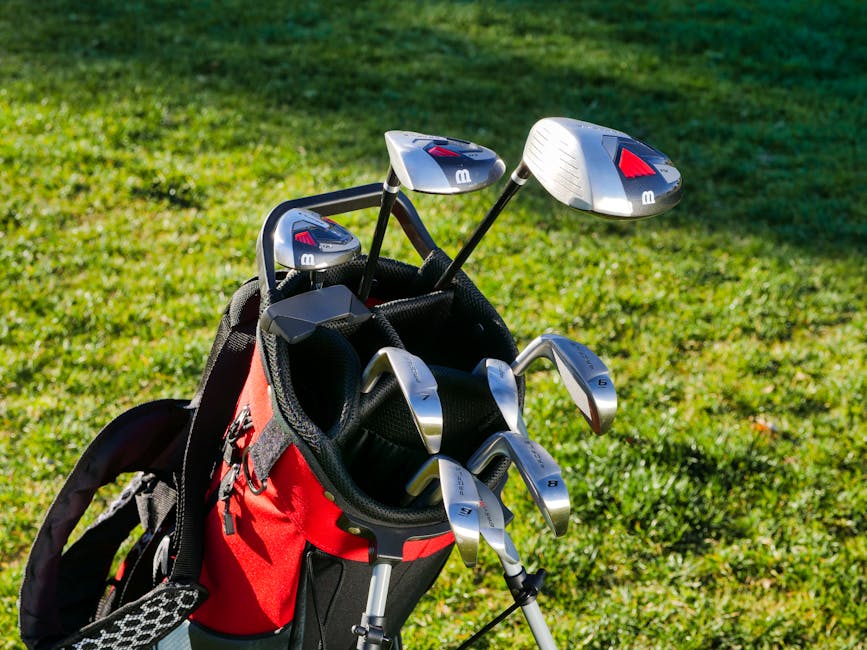
Here's what actually happens when you play a course with sensors attached. You pull a club from your bag, take your shot, and put it back. The sensor continuously tracks your club's location.
If you accidentally leave that club on the green or at the tee box, your phone buzzes within seconds. An alert tells you which club is missing and shows you exactly where it is on a map. You jog back, grab it, and keep playing. Problem solved in about a minute instead of discovering it five holes later.
According to research from PGA Tour reporting, golfers lose or misplace clubs on approximately 70% of rounds they play. That's almost guaranteed to happen to you at some point. Real-time alerts turn a stressful, time-consuming problem into a quick fix.
On days when nothing goes missing, the system just quietly runs in the background. Your sensors work for about 20-30 hours on a single charge, and most recreational players charge them once or twice a week.
Troubleshooting Common Setup Questions
Occasionally, a sensor won't pair on the first try. If that happens, make sure Bluetooth is fully enabled on your phone and that you're within 30 feet of the sensors. If it's still not working, try restarting your phone and relaunching the app. That usually clears up any pairing hiccups.
If a sensor feels loose after installation, twist it another quarter turn. You want it snug but not overly tight, which might strip the grip interior.
For oversized or specialty grips, measure your grip diameter before ordering. Standard grips typically measure 0.6 inches in diameter at the base. Oversized grips are 0.7 inches or larger. When in doubt, go with the Golf Club Watch Knowledge compatibility guide on the product pages.
Key Takeaways on Sensor Attachment
Smart golf sensors attach to your clubs using a simple twist-lock mechanism that seats inside your grip. Installation takes about 2 minutes per club, requires no tools, and causes no permanent modifications to your equipment.
Pairing with your mobile app takes another 5-10 minutes total. Once set up, sensors work continuously to alert you if a club leaves your bag or gets left on the course.
You can start with just your putter and a wedge or go all-in with full bag coverage. Either way, the attachment method is the same: secure, invisible, and proven reliable across thousands of rounds.
Do sensors add weight to my clubs?
No. Sensors weigh less than half an ounce and sit inside your grip, so there's zero impact on swing weight or club balance. You won't feel any difference in how your clubs perform.
Can I remove a sensor without damaging my grip?
Yes. Just twist the sensor counterclockwise until it comes out, then twist the grip cap back on. Your grip stays intact and ready for a new sensor if needed.
What happens if my phone loses Bluetooth connection during my round?
Sensors continue tracking even if Bluetooth drops temporarily. When your phone reconnects, all data syncs immediately. You won't miss any alerts.
Are sensors waterproof?
Yes. Sensors are fully sealed and waterproof, so rain, water hazards, and wet conditions don't affect them. They're built for the golf course environment.